CorelDRAW Graphics Suite 2023 (Windows)

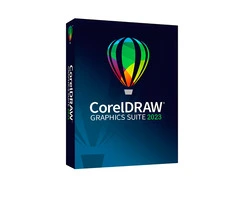
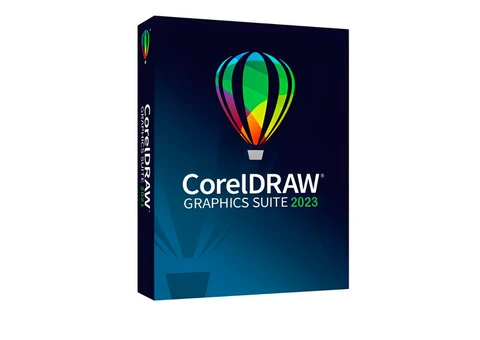
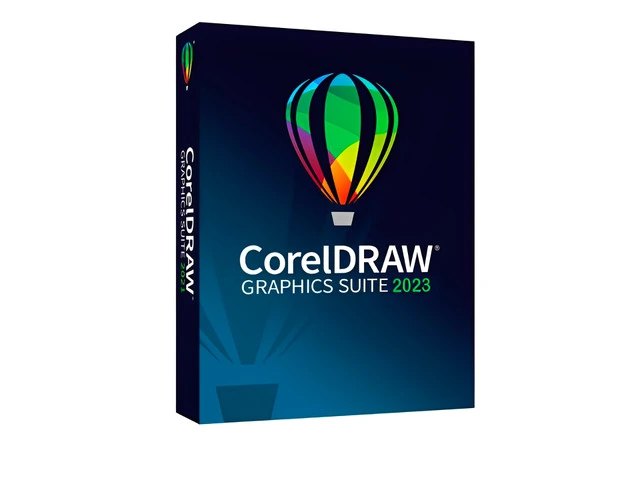
CorelDRAW Graphics Suite 2023 (Windows)

£ 300.00
Computer Software for Sale
2 years
England
London
London City Get directions →
E1 8AW - Bury St
153 views
ID: 106951
Published 2 years ago by Viorel Sandu
£ 300.00
Bury St, E1 8AW London City, London, England
Get directions →
153 item views
CorelDRAW Graphics Suite 2023 (Windows), Computer Software for Sale in London City, London


CorelDRAW Graphics Suite 2023 is a powerful and versatile graphic design software suite, offering tools for vector illustration, page layout, photo editing, typography, and web design. It is designed for professionals in various creative fields, including graphic design, marketing, illustration, and digital art. The suite combines innovative features with enhanced performance, providing designers with the flexibility and precision needed to create stunning visuals across multiple media.

Key Features
Vector Illustration and Design

CorelDRAW: The primary tool for creating precise vector illustrations, logos, and designs. It includes powerful drawing and editing tools, such as the Pen Tool, Smart Fill, and Shape Tools, to create complex and detailed vector art.
Enhanced Node Editing: More precise control over curves and paths, with improved node-editing features to fine-tune designs.
Page Layout and Design

Multi-page Layouts: Design brochures, flyers, posters, and multi-page documents with ease using intuitive layout tools and flexible text handling.
Alignment and Spacing Tools: Snap to grids, guides, and alignment tools to ensure accuracy and consistency across designs.
Photo Editing and Bitmap Creation

Corel PHOTO-PAINT: Professional-grade photo editing software for retouching images, creating composites, and applying special effects.
Live Effects: Non-destructive editing, which means changes can be adjusted or removed at any time.
AI-Powered Tools: Enhance images using artificial intelligence for tasks such as upscaling and removing noise.
Typography and Font Management

Advanced Typography Tools: Access advanced features like OpenType support, text effects, and text on a path. Create custom text and explore a wide range of font styles.
Corel Font Manager: Organize, preview, and manage fonts easily for quick access to your font library.
Web and Mobile Design

Responsive Web Design Tools: Create website graphics, banners, and icons with tools optimized for modern web design, including mobile-first design capabilities.
Export Options: Export files in various formats like SVG, PNG, and PDF for web use, ensuring fast loading times and high-quality output.
Performance and Collaboration

Multi-monitor Support: Work across multiple displays for a more productive workflow, with support for extended workspace layouts.
Cloud Integration: Seamlessly collaborate with others using CorelDRAW.app, share designs online, and store files securely in the cloud.
Improved Performance: Faster processing times for large files and enhanced handling of complex designs, powered by multi-core processors.
Artificial Intelligence Features

AI-powered tools for resizing, background removal, and stylization, enhancing efficiency and creativity.
AI Upscaling: Improve image resolution and quality automatically using artificial intelligence algorithms.
File Compatibility

Wide File Support: Import and export a variety of file formats such as AI, EPS, PDF, PSD, JPG, TIFF, PNG, and SVG.
Compatibility with Other Software: Easily share files with colleagues or clients using industry-standard formats, ensuring compatibility with other design software.
System Requirements
Operating System: Windows 10/11 (64-bit) or macOS Big Sur (11) or later.
Processor: Intel Core i3/AMD Ryzen 3 or higher (Apple M1/M2 supported on macOS).
RAM: Minimum 8 GB (16 GB recommended).
Graphics: OpenCL 1.2 support, with at least 3 GB of VRAM for better performance.
Storage: 4 GB of available disk space for installation.
Display: 1280 x 800 resolution or higher.
Delivery
Method: Digital download with activation key sent via email.
Read more

Published on 20/03/2024. Modified on 09/08/2025.

Description

CorelDRAW Graphics Suite 2023 (Windows), Computer Software for Sale in London City, London


CorelDRAW Graphics Suite 2023 is a powerful and versatile graphic design software suite, offering tools for vector illustration, page layout, photo editing, typography, and web design. It is designed for professionals in various creative fields, including graphic design, marketing, illustration, and digital art. The suite combines innovative features with enhanced performance, providing designers with the flexibility and precision needed to create stunning visuals across multiple media.

Key Features
Vector Illustration and Design

CorelDRAW: The primary tool for creating precise vector illustrations, logos, and designs. It includes powerful drawing and editing tools, such as the Pen Tool, Smart Fill, and Shape Tools, to create complex and detailed vector art.
Enhanced Node Editing: More precise control over curves and paths, with improved node-editing features to fine-tune designs.
Page Layout and Design

Multi-page Layouts: Design brochures, flyers, posters, and multi-page documents with ease using intuitive layout tools and flexible text handling.
Alignment and Spacing Tools: Snap to grids, guides, and alignment tools to ensure accuracy and consistency across designs.
Photo Editing and Bitmap Creation

Corel PHOTO-PAINT: Professional-grade photo editing software for retouching images, creating composites, and applying special effects.
Live Effects: Non-destructive editing, which means changes can be adjusted or removed at any time.
AI-Powered Tools: Enhance images using artificial intelligence for tasks such as upscaling and removing noise.
Typography and Font Management

Advanced Typography Tools: Access advanced features like OpenType support, text effects, and text on a path. Create custom text and explore a wide range of font styles.
Corel Font Manager: Organize, preview, and manage fonts easily for quick access to your font library.
Web and Mobile Design

Responsive Web Design Tools: Create website graphics, banners, and icons with tools optimized for modern web design, including mobile-first design capabilities.
Export Options: Export files in various formats like SVG, PNG, and PDF for web use, ensuring fast loading times and high-quality output.
Performance and Collaboration

Multi-monitor Support: Work across multiple displays for a more productive workflow, with support for extended workspace layouts.
Cloud Integration: Seamlessly collaborate with others using CorelDRAW.app, share designs online, and store files securely in the cloud.
Improved Performance: Faster processing times for large files and enhanced handling of complex designs, powered by multi-core processors.
Artificial Intelligence Features

AI-powered tools for resizing, background removal, and stylization, enhancing efficiency and creativity.
AI Upscaling: Improve image resolution and quality automatically using artificial intelligence algorithms.
File Compatibility

Wide File Support: Import and export a variety of file formats such as AI, EPS, PDF, PSD, JPG, TIFF, PNG, and SVG.
Compatibility with Other Software: Easily share files with colleagues or clients using industry-standard formats, ensuring compatibility with other design software.
System Requirements
Operating System: Windows 10/11 (64-bit) or macOS Big Sur (11) or later.
Processor: Intel Core i3/AMD Ryzen 3 or higher (Apple M1/M2 supported on macOS).
RAM: Minimum 8 GB (16 GB recommended).
Graphics: OpenCL 1.2 support, with at least 3 GB of VRAM for better performance.
Storage: 4 GB of available disk space for installation.
Display: 1280 x 800 resolution or higher.
Delivery
Method: Digital download with activation key sent via email.

Meet the seller

Viorel Sandu
32 active listings
Personal Seller
Last online 4 months ago
Registered for 2 years

Comments (0)

No comments has been added yet
Last online 4 months ago
Send message
Want to be part of our UK community? Create a FREE account