CorelDRAW Graphics Suite 2022 for Mac - 80%, Computer Software for Sale in London City, London
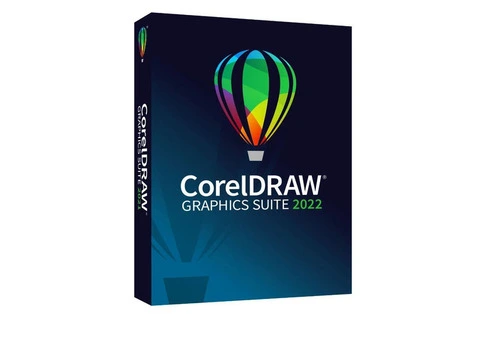
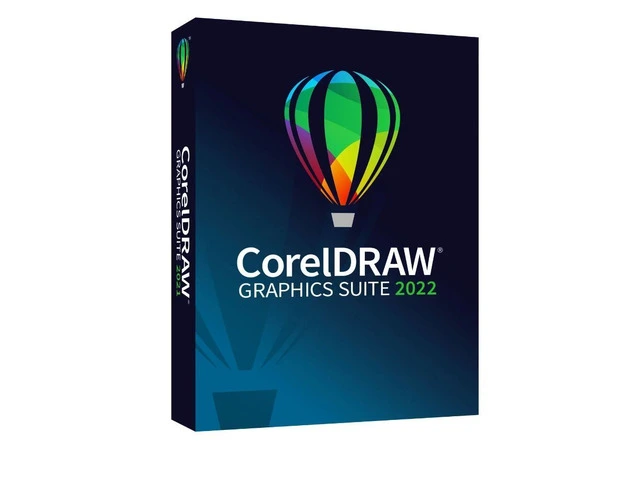
CorelDRAW Graphics Suite 2022 for Mac is a powerful design software suite specifically built for macOS users. It combines advanced tools for vector illustration, page layout, photo editing, typography, and web design, making it ideal for creative professionals in graphic design, marketing, and digital art. With an intuitive interface and performance enhancements, CorelDRAW Graphics Suite 2022 delivers a seamless experience on Mac devices.
Key Features
Vector Illustration and Graphic Design
CorelDRAW: The primary tool for creating precise vector illustrations, logos, and graphics. It offers advanced drawing tools such as the Pen Tool, Shape Tools, Smart Fill, and Object Styles to help designers create professional-quality vector art.
Node Editing and Shape Tools: Improved node editing and advanced shape tools for precise adjustments and quick design creation.
Page Layout and Typography
Multi-Page Layout: Easily design multi-page documents, brochures, business cards, posters, and more with flexible layout tools.
Advanced Typography: Work with OpenType fonts, text on a path, and text effects to create complex and beautiful typography.
Corel Font Manager: Organize and manage fonts efficiently to streamline your workflow.
Photo Editing and Bitmap Creation
Corel PHOTO-PAINT: Powerful photo editing software for retouching, enhancing, and creating bitmap graphics. Apply effects, adjust colors, and remove imperfections in images using a range of advanced tools.
Live Effects: Non-destructive editing with real-time adjustments, allowing you to experiment with filters and effects without altering the original image.
Bitmap-to-Vector Conversion: Convert bitmap images to vector files with ease using the PowerTRACE tool.
Web Design and Mobile Graphics
Responsive Design Tools: CorelDRAW 2022 for Mac includes tools for designing responsive graphics for web and mobile apps, ensuring your designs adapt well to different screen sizes.
Export Options: Export files in formats optimized for web use, including SVG, PNG, JPG, and PDF, with support for high-quality outputs and fast loading times.
Performance and User Experience
Optimized for macOS: CorelDRAW 2022 is optimized for macOS, offering improved performance on Apple M1/M2 chips and native support for macOS features like Retina display, Dark Mode, and multi-monitor setups.
Enhanced Performance: Faster rendering, improved performance when handling large files, and better multi-core processing ensure a smoother design experience.
Customizable Workspaces: Create a personalized workspace that fits your design workflow, with customizable toolbars, keyboard shortcuts, and menus.
Collaboration and Cloud Integration
CorelDRAW.app: Collaborate with clients and teams in real-time using the web-based CorelDRAW.app, which allows for easy sharing, editing, and feedback.
Cloud Storage: Securely store your files in the cloud for easy access and sharing across devices, ensuring you can work from anywhere.
File Compatibility
Broad File Support: Import and export a variety of file formats including AI, EPS, PDF, PSD, TIFF, JPG, PNG, and SVG, allowing for seamless collaboration with other software and teams.
PDF/X-4 Support: Improved support for high-quality PDF exports, ideal for print and digital publishing.
System Requirements
Operating System: macOS Big Sur (11.0), Monterey (12.0), or later.
Processor: Intel Core i3 or Apple M1/M2 chip.
RAM: Minimum 8 GB (16 GB recommended).
Graphics: OpenCL 1.2 support, 2 GB of VRAM or more for optimal performance.
Storage: 4 GB of available disk space for installation.
Display: 1280 x 800 resolution or higher, Retina display supported.
Delivery
Method: Digital download with activation key sent via email.


 Welcome!