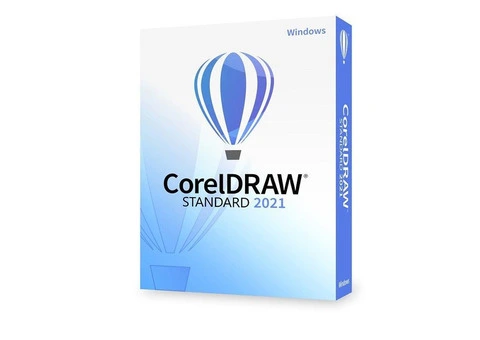
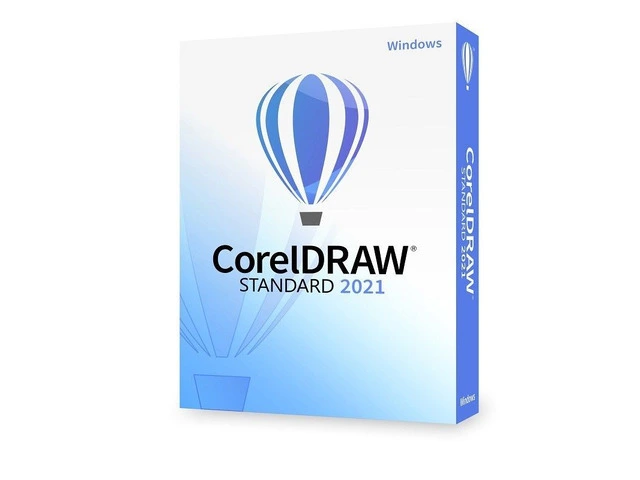
CorelDRAW Standard 2021 CD Key

CorelDRAW Standard 2021 CD Key

£ 44.00
Computer Software for Sale
2 years
New
Sell
England
London
London City Get directions →
E1 8AW - Bury St
137 views
ID: 106740
Published 2 years ago by Viorel Sandu
£ 44.00
New
Sell
Bury St, E1 8AW London City, London, England
Get directions →
137 item views
CorelDRAW Standard 2021 CD Key, Computer Software for Sale in London City, London


CorelDRAW Standard 2021 is a user-friendly graphic design software that provides essential tools for creating high-quality designs, vector illustrations, and page layouts. Ideal for individuals, hobbyists, and small businesses, CorelDRAW Standard 2021 offers an intuitive interface and powerful features for graphic design, layout creation, and image editing. Whether you’re designing logos, brochures, social media graphics, or other types of visual content, CorelDRAW Standard makes it easy to create professional results without a steep learning curve.

Key Features
Vector Illustration and Drawing Tools

CorelDRAW: The primary tool for creating scalable vector-based illustrations, logos, and designs. It offers a range of drawing tools, including Pen, Shape, and Freehand tools, that allow you to easily create precise and flexible designs.
Shape Tools: Quickly create custom shapes and complex designs with tools like the Smart Fill and Shape tool, offering flexibility and control over your projects.
Node Editing: Easily adjust curves, nodes, and paths for fine-tuned control over your designs.
Page Layout and Design

Multi-Page Support: Create multi-page documents such as brochures, newsletters, and catalogs with ease, all within a single document.
Layout Tools: Includes alignment, guidelines, and snapping features to help place and organize objects precisely, making page layout design simple and effective.
Template Support: Access a variety of professionally designed templates to kick-start your projects and save time on design work.
Photo Editing and Bitmap Creation

Corel PHOTO-PAINT: A built-in image editing tool that allows for photo retouching, manipulation, and enhancement. This gives you the ability to work with bitmaps and raster images alongside vector graphics.
Effects and Filters: Apply filters, effects, and photo enhancements such as sharpening, blur, and color correction to enhance your images.
Bitmap-to-Vector Conversion: Convert raster images (like JPEG or PNG) to scalable vector graphics using the integrated PowerTRACE tool, ensuring higher quality and scalability for use in designs.
Typography and Text Tools

Text Handling: CorelDRAW Standard 2021 comes with advanced text tools that enable you to add and manipulate text within your designs. It supports text on a path, along curves, and offers full OpenType font support.
Paragraph and Character Formatting: Easily control text alignment, spacing, and effects to ensure your designs have polished, professional typography.
File Compatibility and Export

File Formats: CorelDRAW Standard supports a wide variety of file formats, such as AI, PSD, PDF, JPG, PNG, TIFF, and SVG, allowing seamless collaboration and file sharing across different design platforms.
High-Quality Exports: Export your work in multiple formats for print or digital use, ensuring that your designs are optimized for the best output quality across various media.
Customization and Productivity Tools

Customizable Workspace: Tailor the workspace to fit your personal workflow with customizable toolbars, menus, and keyboard shortcuts.
Interactive Tools: Use interactive tools like the Shape tool, PowerClip, and Color Harmony to speed up the design process and create visually appealing projects more efficiently.
Live Comments: Add and track comments in designs, making collaboration easier with clients or team members.
Ease of Use

User-Friendly Interface: The interface is designed to be easy to navigate, even for beginners. Tools are logically arranged, and the layout is intuitive for users at any level of experience.
Learning Resources: CorelDRAW Standard 2021 includes helpful tutorials and guides to assist users in mastering the software quickly.
System Requirements
Operating System: Windows 10/8.1/7 (64-bit).
Processor: Multi-core Intel or AMD processor with 2.0 GHz or higher.
RAM: Minimum 4 GB (8 GB or more recommended).
Graphics: 512 MB VRAM (1 GB or more recommended).
Storage: 3 GB of available disk space for installation.
Display: 1280 x 720 resolution or higher.
Delivery
Method: Digital download with activation key sent via email.
Read more

Published on 19/03/2024. Modified on 08/03/2025.

Description

CorelDRAW Standard 2021 CD Key, Computer Software for Sale in London City, London


CorelDRAW Standard 2021 is a user-friendly graphic design software that provides essential tools for creating high-quality designs, vector illustrations, and page layouts. Ideal for individuals, hobbyists, and small businesses, CorelDRAW Standard 2021 offers an intuitive interface and powerful features for graphic design, layout creation, and image editing. Whether you’re designing logos, brochures, social media graphics, or other types of visual content, CorelDRAW Standard makes it easy to create professional results without a steep learning curve.

Key Features
Vector Illustration and Drawing Tools

CorelDRAW: The primary tool for creating scalable vector-based illustrations, logos, and designs. It offers a range of drawing tools, including Pen, Shape, and Freehand tools, that allow you to easily create precise and flexible designs.
Shape Tools: Quickly create custom shapes and complex designs with tools like the Smart Fill and Shape tool, offering flexibility and control over your projects.
Node Editing: Easily adjust curves, nodes, and paths for fine-tuned control over your designs.
Page Layout and Design

Multi-Page Support: Create multi-page documents such as brochures, newsletters, and catalogs with ease, all within a single document.
Layout Tools: Includes alignment, guidelines, and snapping features to help place and organize objects precisely, making page layout design simple and effective.
Template Support: Access a variety of professionally designed templates to kick-start your projects and save time on design work.
Photo Editing and Bitmap Creation

Corel PHOTO-PAINT: A built-in image editing tool that allows for photo retouching, manipulation, and enhancement. This gives you the ability to work with bitmaps and raster images alongside vector graphics.
Effects and Filters: Apply filters, effects, and photo enhancements such as sharpening, blur, and color correction to enhance your images.
Bitmap-to-Vector Conversion: Convert raster images (like JPEG or PNG) to scalable vector graphics using the integrated PowerTRACE tool, ensuring higher quality and scalability for use in designs.
Typography and Text Tools

Text Handling: CorelDRAW Standard 2021 comes with advanced text tools that enable you to add and manipulate text within your designs. It supports text on a path, along curves, and offers full OpenType font support.
Paragraph and Character Formatting: Easily control text alignment, spacing, and effects to ensure your designs have polished, professional typography.
File Compatibility and Export

File Formats: CorelDRAW Standard supports a wide variety of file formats, such as AI, PSD, PDF, JPG, PNG, TIFF, and SVG, allowing seamless collaboration and file sharing across different design platforms.
High-Quality Exports: Export your work in multiple formats for print or digital use, ensuring that your designs are optimized for the best output quality across various media.
Customization and Productivity Tools

Customizable Workspace: Tailor the workspace to fit your personal workflow with customizable toolbars, menus, and keyboard shortcuts.
Interactive Tools: Use interactive tools like the Shape tool, PowerClip, and Color Harmony to speed up the design process and create visually appealing projects more efficiently.
Live Comments: Add and track comments in designs, making collaboration easier with clients or team members.
Ease of Use

User-Friendly Interface: The interface is designed to be easy to navigate, even for beginners. Tools are logically arranged, and the layout is intuitive for users at any level of experience.
Learning Resources: CorelDRAW Standard 2021 includes helpful tutorials and guides to assist users in mastering the software quickly.
System Requirements
Operating System: Windows 10/8.1/7 (64-bit).
Processor: Multi-core Intel or AMD processor with 2.0 GHz or higher.
RAM: Minimum 4 GB (8 GB or more recommended).
Graphics: 512 MB VRAM (1 GB or more recommended).
Storage: 3 GB of available disk space for installation.
Display: 1280 x 720 resolution or higher.
Delivery
Method: Digital download with activation key sent via email.

Meet the seller

Viorel Sandu
32 active listings
Personal Seller
Last online 5 months ago
Registered for 2 years

Comments (0)

No comments has been added yet
Last online 5 months ago
Send message
Want to be part of our UK community? Create a FREE account